
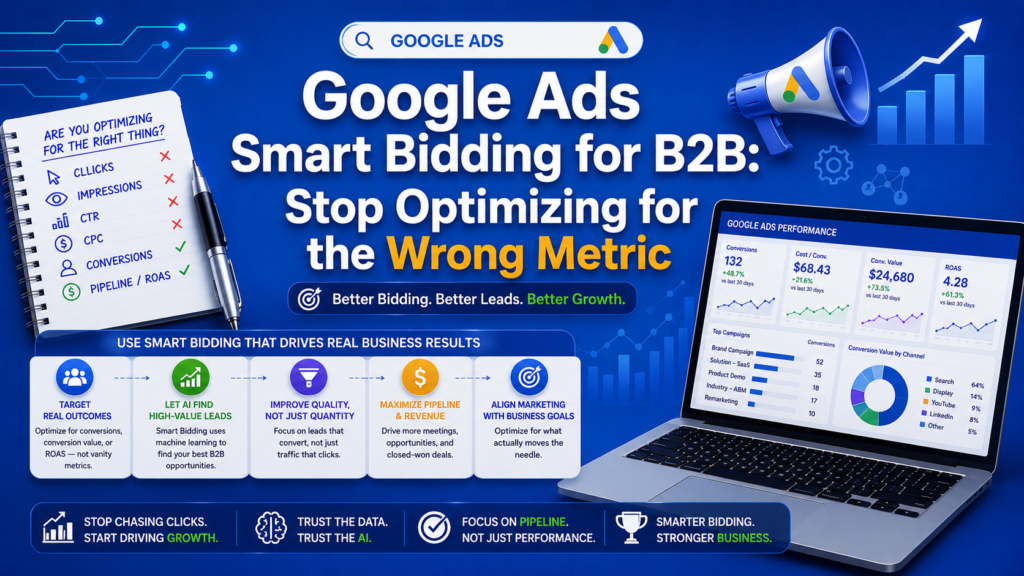
Google Ads Smart Bidding for B2B should optimize for pipeline revenue, not form fills. The recommended progression is: (1) Manual CPC for the first 2-4 weeks to gather data, (2) Target CPA once you have 30+ conversions, and (3) Value-Based Bidding (Target ROAS) with offline conversion imports from your CRM once you have 60+ days of pipeline data.
Here is the most expensive mistake in B2B Google Ads: optimizing Smart Bidding for the wrong conversion.
When you tell Google’s algorithm to get you more “leads” at your target CPA, it delivers exactly that more form fills. But in B2B, a form fill is not a sale. It is the beginning of a 3-6 month journey through your pipeline. And Google has no idea which of those form fills will actually become revenue.
Unless you tell it.
This guide covers the exact Smart Bidding setup for B2B companies—the strategy that stops Google from optimizing for junk leads and starts it optimizing for revenue.
Why Default Smart Bidding Fails for B2B
Google’s Smart Bidding strategies—Target CPA, Target ROAS, Maximize Conversions—use machine learning to adjust bids for every auction based on hundreds of real-time signals. The AI is genuinely sophisticated.
But AI optimizes for whatever you tell it to optimize for. And the default B2B setup creates a fundamental misalignment:
The misalignment:
– You set “form fill” as your conversion action
– Google’s AI learns what type of clicks generate form fills
– The AI optimizes for more form fills
– You get more leads—but not more revenue
– Worse: many of those leads are students, competitors, job seekers, and tire kickers
The symptoms of misaligned bidding:
– Your lead volume is high but your SQL rate is low
– Sales team complains about “terrible lead quality from Google Ads”
– Cost per lead looks great but cost per opportunity is terrible
– Pipeline from Google Ads plateaus despite increasing spend
If any of this sounds familiar, your Smart Bidding is optimizing for the wrong metric.
The B2B Smart Bidding Progression
The correct approach follows three phases. Skipping phases leads to poor algorithm training.
Phase 1: Manual CPC (Weeks 1-4)
Why start manual: Google’s AI needs data to learn. Without historical conversion data, automated bidding makes uninformed decisions. Manual CPC lets you control bids while gathering baseline data.
Setup:
– Set manual CPC bids based on your maximum allowable CPA divided by your expected conversion rate
– If your target CPA is $150 and your expected conversion rate is 3%, start bids at $4.50
– Enable Enhanced CPC (eCPC) after week 2—this allows Google to adjust bids up or down by up to 30% based on conversion likelihood
What to measure:
– Click-through rate by keyword
– Conversion rate by keyword and ad group
– Cost per conversion
– Search term quality (are you getting relevant searches?)
Exit criteria: Move to Phase 2 when you have at least 30 conversions in 30 days across the account.
Phase 2: Target CPA (Weeks 4-8)
Why Target CPA next: With 30+ conversions, Google’s algorithm has enough data to make informed bid decisions. Target CPA tells the algorithm: “Get me conversions at approximately this cost.”
Setup:
– Set your Target CPA at your current average CPA (do not set it aggressively low initially)
– Google recommends starting at your actual average, then lowering by 10-15% every two weeks
– Maintain your existing campaign and ad group structure
– Keep your conversion action as form fills for now (we upgrade this in Phase 3)
Optimization during this phase:
– Review audience signals weekly—which audiences convert best?
– Continue adding negative keywords from search term reports
– Test new ad copy variations (Google’s AI rotates to the best performers)
– Monitor the “Bid Strategy Report” for insights on algorithm performance
Important: Do NOT panic during the first two weeks. The algorithm enters a “learning period” where performance may fluctuate. Give it at least 14 days before making adjustments.
Exit criteria: Move to Phase 3 when you have 60+ days of CRM data showing which leads became opportunities and revenue.
Phase 3: Value-Based Bidding (Week 8+)
This is the destination. Value-Based Bidding tells Google’s AI exactly how much each conversion is worth to your business—not just that a conversion happened, but how valuable it was.
The setup process:
Step 1: Define conversion values for each pipeline stage.
|
Pipeline Stage |
Conversion Value |
Rationale |
|
Form fill |
$5 |
Minimal value until qualified |
|
MQL |
$50 |
Marketing has validated in‐ terest |
|
SQL |
$250 |
Sales has confirmed fit and intent |
|
Opportunity created |
$1,000 |
Active deal in pipeline |
|
Closed-Won |
$10,000 |
Actual revenue (adjust to your ACV) |
Adjust these values based on your actual conversion rates between stages. The exact numbers matter less than the relative ratios.
Step 2: Implement GCLID tracking.
Every Google Ads click generates a unique Google Click ID (GCLID). You need to:
– Capture the GCLID when a form is submitted
– Store it in your CRM alongside the lead record
– Pass it back to Google when the lead progresses through pipeline stages
Technical implementation:
– Add a hidden GCLID field to all forms
– Use JavaScript to capture the GCLID from the URL parameter and store it in a cookie
– Pass the GCLID value into your CRM on form submission
– Set up automated CRM exports or use Google’s API to push conversion data back to Google Ads
Step 3: Configure offline conversion imports.
In Google Ads:
– Go to Tools → Conversions → Upload
– Set up automated imports from your CRM (daily or weekly)
– Map each pipeline stage to a Google Ads conversion action with the appropriate value
– Set the conversion window to 90 days (B2B sales cycles are long)
Step 4: Switch bidding to Target ROAS.
Once Google has at least 4 weeks of value data:
– Switch from Target CPA to Target ROAS (Return on Ad Spend)
– Start with a conservative ROAS target (e.g., 200%)
– Increase the target by 25% every two weeks as the algorithm learns
Advanced Smart Bidding Tactics for B2B
Bid Adjustments That Still Matter
Even with automated bidding, some manual adjustments remain important:
- Device bid adjustments. B2B searches on mobile often have different intent than desktop. If your data shows mobile leads convert at a lower rate, consider a -20% to -40% mobile bid adjustment.
- Schedule bid adjustments. Analyze when your best leads convert. Many B2B companies find that leads from business hours convert at 2-3x the rate of after-hours leads. Adjust bids accordingly.
- Location bid adjustments. If your best customers come from specific regions, increase bids for those locations.
Audience Layering with Smart Bidding
Layer audience signals on top of Smart Bidding to improve targeting:
Customer match audiences. Upload your closed-won customer list as an audience signal. Google’s AI uses this to find similar users.
In-market audiences. Google identifies users actively researching B2B solutions. Layer these as “Observation” audiences and apply positive bid adjustments when you see higher conversion rates.
Website visitor remarketing. Create audience segments based on high-value pages visited (pricing page, case studies, demo page) and signal these to Smart Bidding.
Seasonality Adjustments
B2B businesses have predictable cycles—Q4 budget planning, Q1 spending surges, summer slowdowns. Use Google’s seasonality adjustments to help the algorithm during these transitions:
- Budget flush periods (typically late Q4, late Q1): Increase bids preemptively
- Holiday periods: Reduce targets to account for lower-quality traffic
- Industry events and conferences: Temporarily boost bids around relevant dates
Common Smart Bidding Mistakes in B2B
Mistake 1: Switching strategies too frequently. Every time you change bidding strategies, the algorithm resets its learning period. Give each phase at least 4 weeks before evaluating.
Mistake 2: Setting unrealistic targets. If your current CPA is $200, setting a Target CPA of $50 will cause the algorithm to stop bidding on most auctions. Reduce targets gradually.
Mistake 3: Ignoring the learning period. When Google displays “Learning” on a campaign, DO NOT make major changes. Wait for the learning period to complete (usually 7-14 days).
Mistake 4: Not importing offline conversions. This is the single biggest missed opportunity.
Without offline conversion data, Google’s AI is blind to what matters most—revenue.
Mistake 5: Treating all campaigns the same. Different campaigns may need different bidding strategies. Brand campaigns might use Maximize Clicks, while competitor campaigns use Target CPA, and high-intent campaigns use Value-Based Bidding.
Measuring Smart Bidding Success
Track these metrics monthly:
|
Metric |
Healthy B2B Range |
|
Cost per MQL |
$50-$200 (varies by industry) |
|
Cost per SQL |
$200-$800 |
|
Cost per Opportunity |
$500-$2,000 |
|
ROAS on pipeline |
5:1 to 15:1 |
|
Conversion rate (click to lead) |
2-5% |
|
Lead to SQL rate |
15-30% |
If your metrics fall outside these ranges, revisit your bidding strategy, audience targeting, and landing page performance.
The Bottom Line
Smart Bidding is the most powerful tool in Google Ads—when configured correctly for B2B. The companies that connect their CRM data to Google’s AI create a massive competitive advantage: their algorithms learn what revenue looks like, while competitors’ algorithms only learn what form fills look like.
At Expert Written Marketing, we implement Value-Based Bidding for every B2B client from day one. It is the foundation of campaigns that generate pipeline, not just leads.
Ready to fix your Google Ads bidding? Get a free campaign audit (https://expertwrittenmarketing.com) from Expert Written Marketing