
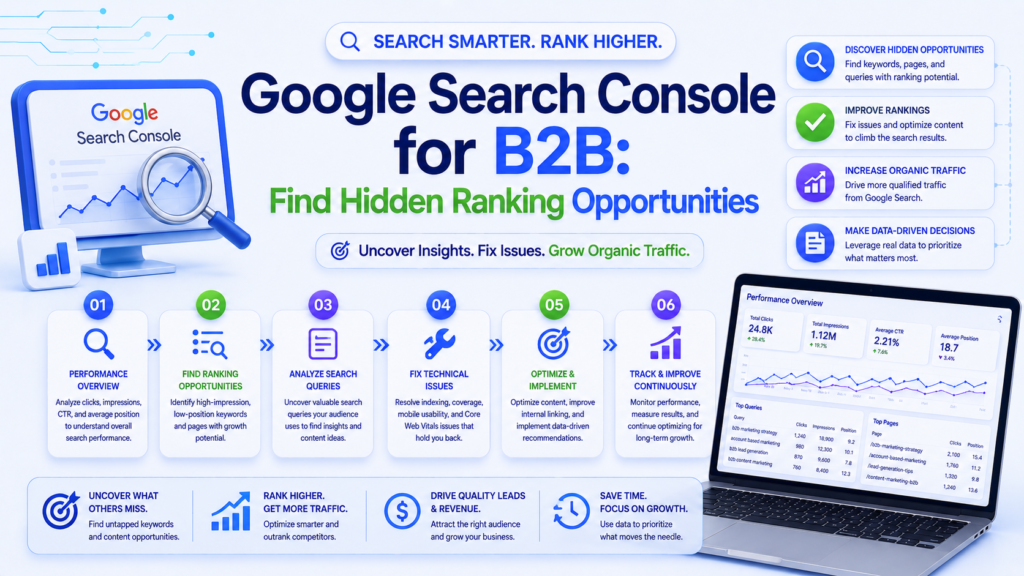
Featured Snippet Target: To find hidden ranking opportunities in Google Search Console for B2B: (1) filter Performance report for queries where your average position is 5-20 with high impressions but low clicks, (2) identify pages ranking for keywords not in your content, (3) find queries with high impressions and low CTR to optimize title tags and meta descriptions, and (4) analyze the Pages report to find declining content that needs updating.
Google Search Console is the most underused free tool in B2B marketing. It contains first-party data directly from Google showing exactly which queries bring impressions, which drive clicks, and where your ranking opportunities hide.
Most B2B marketers check Search Console once a month, glance at the total clicks graph, and move on. That approach misses the goldmine sitting in the data.
This guide shows you five specific workflows that uncover actionable ranking opportunities in 10 minutes or less.
Workflow 1: The “Strike Distance” Keywords (5 Minutes)
Strike distance keywords are queries where you rank in positions 5-20. These are close enough to page one (or the top of page one) that targeted optimization can push them up—often without creating new content.
How to find them:
What you are looking for: Queries with high impressions but positions 5-20. These are queries Google already associates with your content—they just need a push to reach the top.
Action steps for each strike distance keyword:
- Find the page ranking for this query (click the query, then view the Pages tab)
- Optimize the page: add the keyword to H2 headings, expand content depth, improve internal linking
- Update the meta title and description to better target the query
- Add FAQ section answering related questions
- Build 2-3 internal links from other high-authority pages on your site
Expected result: 30-50% of strike distance keywords can move to page 1 within 4-8 weeks with targeted optimization.
Workflow 2: The “CTR Optimization” Audit (3 Minutes)
Some of your pages rank well but get fewer clicks than expected. Low CTR with high position = your title tags and meta descriptions are not compelling enough.
How to find them:
- Same Performance report
- Display CTR and Position columns
- Filter: Position < 5 (you are already ranking high)
- Sort by CTR (lowest first)
Benchmark CTRs by position:
|
Position |
Expected CTR |
Below Average |
|---|---|---|
|
1 |
25-35% |
<20% |
|
2 |
15-20% |
<12% |
|
3 |
10-15% |
<8% |
|
4-5 |
5-10% |
<4% |
Action steps for low-CTR pages:
- Rewrite the meta title to include a compelling hook or number
- Rewrite the meta description with a clear value proposition and CTA
- Add structured data (FAQ schema) to earn rich snippets
- Include the year in the title for time-sensitive content (“2026 Guide”)
- Test power words: “Complete,” “Proven,” “Free,” “Framework”
Expected result: Title tag optimization typically improves CTR by 20-40%, which translates directly to more organic traffic without any ranking changes.
Workflow 3: The “Content Decay” Detector (5 Minutes)
Content decay is when previously high-performing pages lose traffic over time. Identifying and refreshing these pages is one of the highest-ROI SEO activities.
How to find decaying content:
- Performance report → Pages tab
- Set date comparison: last 3 months vs. previous 3 months
- Sort by “Clicks Difference” (most negative first)
What you are looking for: Pages that lost significant clicks or impressions compared to the previous period.
Common causes of content decay:
- Content is outdated (old statistics, deprecated tools, changed best practices)
- Competitors published fresher, more comprehensive content
- Search intent shifted (Google now favors a different content format)
- Lost backlinks to the page
Action steps for decaying content:
- Update all statistics, examples, and references to current data
- Expand thin sections that competitors now cover more thoroughly
- Add new sections addressing questions that have emerged since publication
- Refresh the publish date (only after making substantial updates)
- Build new internal links from recent content
Expected result: Content refreshes typically recover 80-100% of lost traffic within 4-6 weeks and often exceed previous performance.
Workflow 4: The “Unexpected Keyword” Finder (3 Minutes)
Your pages often rank for keywords you did not intentionally target. These unexpected keywords reveal how Google perceives your content and often uncover opportunities for new content.
How to find them:
Performance report → Pages tab Click on a high-performing page Switch to the Queries tab to see all queries this page ranks for Look for queries that are not related to the page’s primary keyword
What to do with unexpected keywords:
If the query is relevant and has good volume, optimize the existing page to better target it If the query deserves its own dedicated page, create a new article targeting it specifically If the query reveals a content gap, add a section to the existing page addressing it
Workflow 5: The “Index Coverage” Health Check (2 Minutes)
Pages that are not indexed cannot rank. B2B websites often have indexing issues that silently prevent content from appearing in search results.
How to check:
Go to Search Console → Pages (Index Coverage) Review “Not Indexed” pages Pay attention to: “Crawled – currently not indexed” (Google found the page but chose not to index it—often a quality signal) “Discovered – currently not indexed” (Google knows about the page but has not crawled it) “Page with redirect” (check for redirect chain issues)
Action steps:
For “Crawled – not indexed” pages: improve content quality, add internal links, submit for indexing For “Discovered – not indexed” pages: add internal links from high-authority pages to help Google prioritize crawling For redirect issues: fix redirect chains (A→B→C should be A→C) Remove or no index low-quality pages that dilute your site’s overall quality signals
Monthly GSC Reporting Template for B2B
Track these metrics monthly:
|
Metric |
How to Find |
What It Tells You |
|---|---|---|
|
Total clicks trend |
Performance overview |
Overall organic growth |
|
Top 10 growing queries |
Query report, sorted by click change |
What is working |
|
Top 10 declining queries |
Query report, sorted by click change (negative) |
What needs attention |
|
Strike distance opportunities |
Position 5-20 filter |
Quick optimization wins |
|
Low-CTR pages |
CTR filter on top-position pages |
Title/description optimization needs |
|
New keywords ranked |
Compare query counts period over period |
Content strategy effectiveness |
|
Pages with indexing issues |
Index Coverage report |
Technical health |
The Bottom Line
Google Search Console is a free tool that contains more actionable SEO data than most paid tools. The five workflows above take 10-20 minutes combined and consistently uncover optimization opportunities that generate measurable traffic and lead increases.
At Expert Written Marketing, we review Search Console data weekly for every B2B client. It is the foundation of data-driven SEO that actually moves the needle.
Want us to analyze your Search Console data? Get a free SEO audit from Expert Written Marketing.